
12 Professional Headshot Examples: Find the Right Style for Your Career
Introduction
A professional headshot can make a stronger first impression than almost anything else on your LinkedIn profile, resume, or company website. The right photo helps you look confident, approachable, and professional before you even say a word.
If you're not sure what style suits your career, browsing real examples is one of the easiest ways to find inspiration. Once you find a style you like, you can easily create your own AI headshot in just a few minutes.
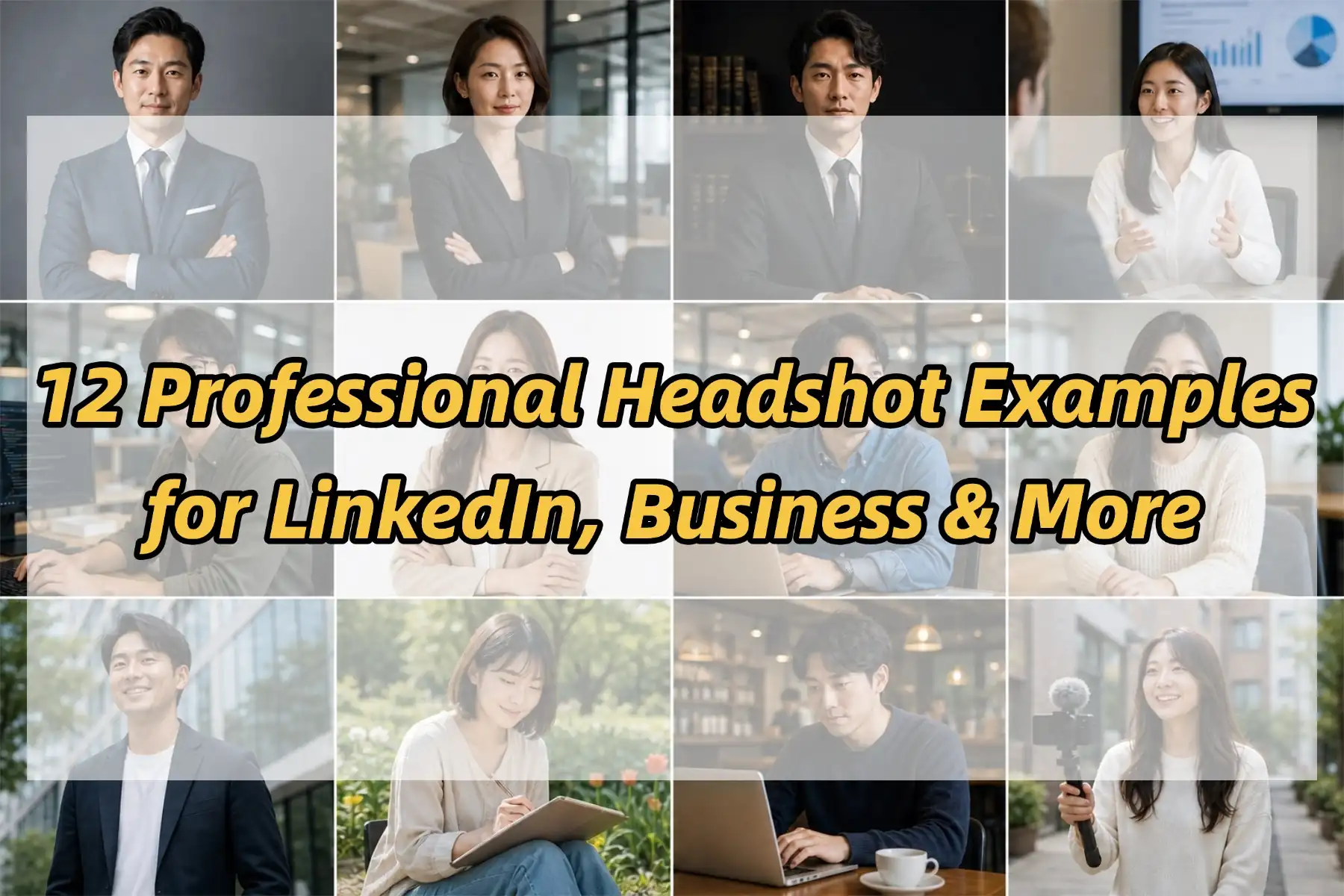
In this guide, you'll find professional headshot examples for corporate roles, LinkedIn profiles, and outdoor personal branding, along with simple tips on choosing the right outfit, background, and expression for your next photo.
Corporate Headshot Examples
Corporate headshots are the most formal style for professional profiles. They're commonly used on company websites, executive pages, and LinkedIn profiles in traditional industries. If you want to look confident, professional, and trustworthy, this style is usually the safest choice.

Best for: Finance, consulting, law, executives, and corporate management.
Key features:
Business suit or blazer
Clean office or studio background
Confident eye contact
Simple, polished look
Quick tip:
If you're applying for roles in traditional industries or representing a company publicly, a corporate headshot is usually the safest and most professional choice.
LinkedIn Headshot Examples
A great LinkedIn headshot should look professional while still feeling approachable. Compared with traditional corporate portraits, these photos use softer lighting, relaxed business casual outfits, and natural expressions to create a friendly first impression. The goal is to help recruiters, clients, and colleagues recognize you as both professional and easy to connect with.

Best for: Job seekers, software engineers, marketers, product managers, HR professionals, and most modern workplaces.
Key elements:
Business casual clothing
Bright office environments
Natural smile
Relaxed posture
Quick tip:
You don't need to look overly formal on LinkedIn. A clean, friendly portrait often leaves a stronger impression than a stiff studio photo.
Outdoor Professional Headshot Examples
Outdoor headshots combine professional styling with natural light to create a more modern and personal look. Instead of a traditional studio setting, these portraits use real environments to add warmth and personality while still maintaining a polished appearance. They're especially popular among founders, creators, and professionals building a personal brand.
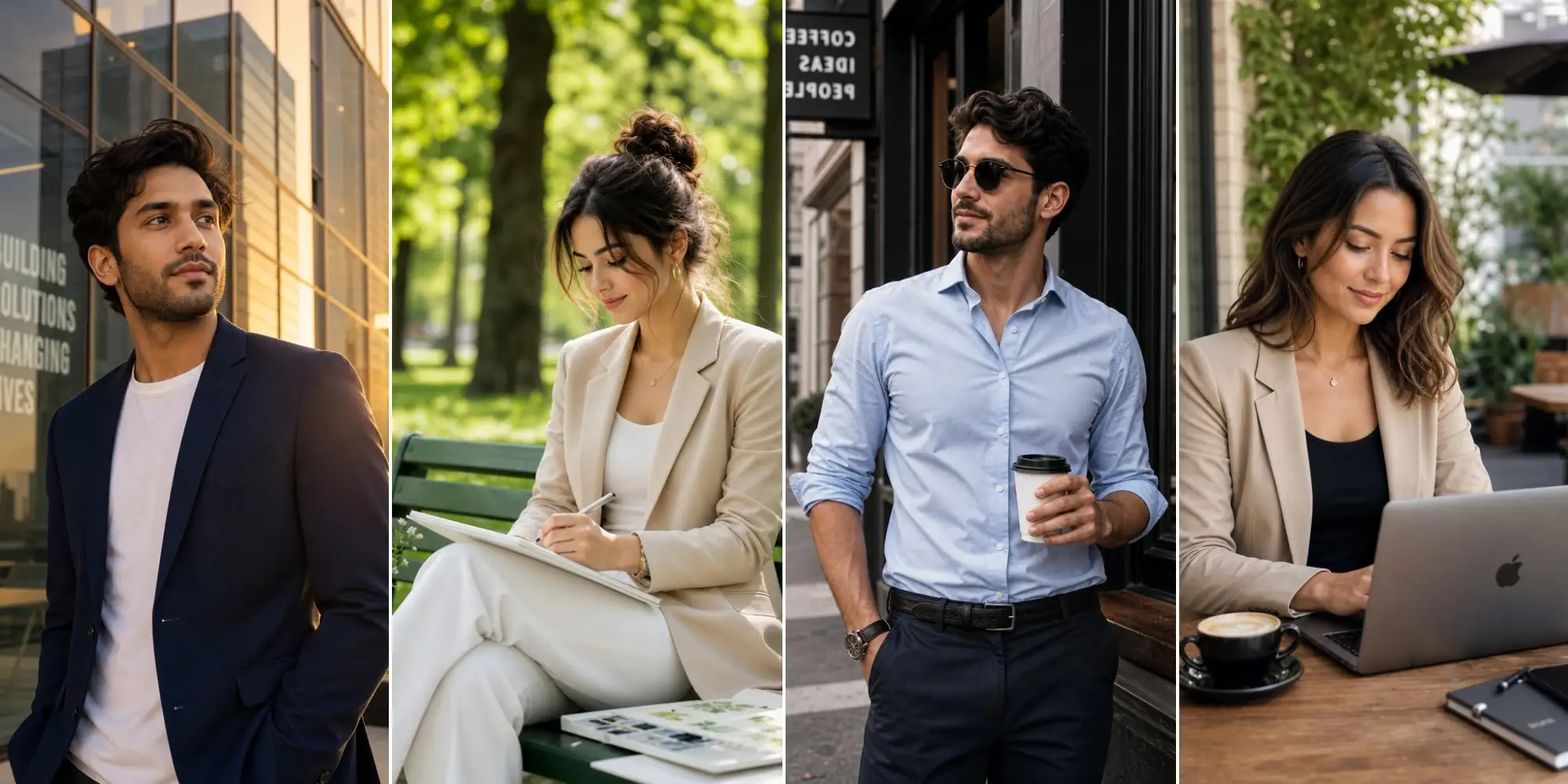
Best for: Entrepreneurs, freelancers, designers, creators, marketing professionals, and startup teams.
Key elements:
Natural lighting
Urban or outdoor backgrounds
Smart casual outfits
Relaxed, confident expressions
Quick tip:
Choose outdoor headshots when you want to appear approachable and authentic without sacrificing professionalism.
How to Choose the Right Professional Headshot Style
There's no single "perfect" professional headshot. The right style depends on your career, industry, and the impression you want to make. No matter which style you choose, these three details can make a big difference.
1. Choose an Outfit That Matches Your Industry
Your outfit should reflect the type of work you do, not just look formal. Traditional industries like finance or law usually suit tailored business attire, while tech, marketing, and creative roles often look more natural in business casual clothing. Choose solid colors and simple layers to keep the focus on your face.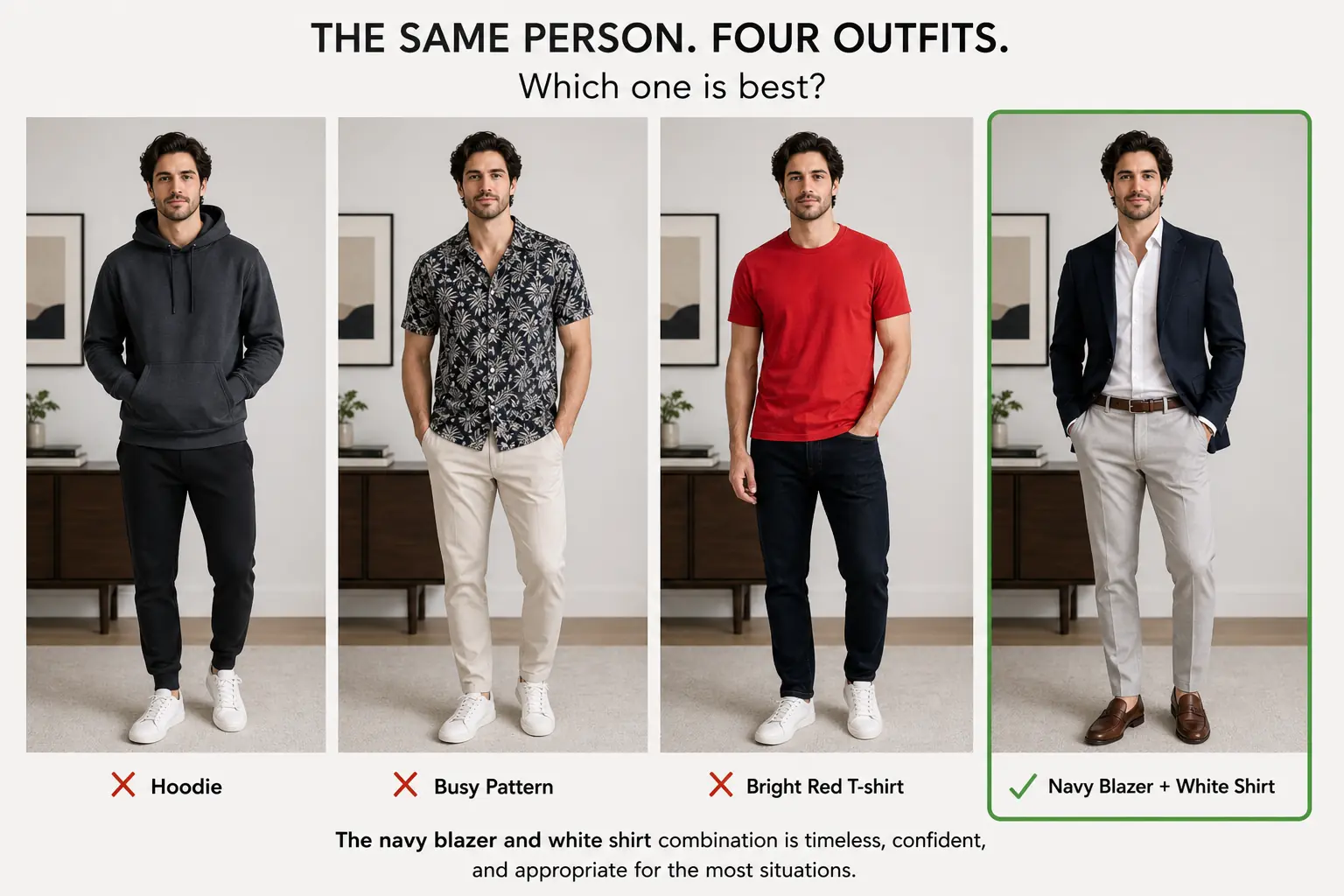
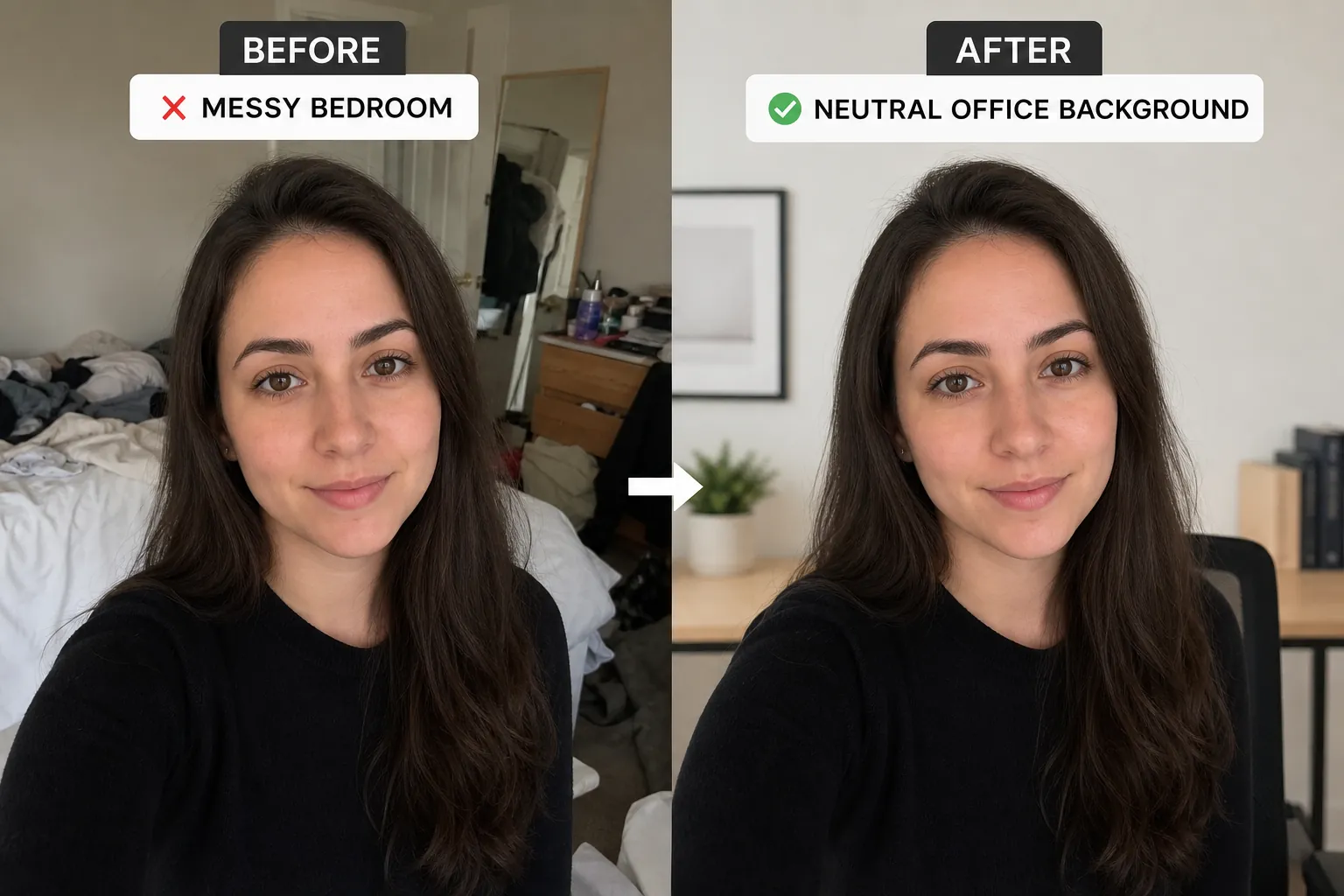
2. Keep the Background Clean and Distraction-Free
A simple background helps your face stand out and keeps the photo looking professional. Studio backdrops, modern offices, and softly blurred outdoor settings all work well. Avoid busy or distracting backgrounds that take attention away from your face.
3. Look Relaxed and Confident
A professional headshot doesn't need a serious expression. Looking directly at the camera with a relaxed posture and a natural smile usually creates a more approachable and confident impression. If you want to compare different professional styles before choosing your favorite, an AI headshot generator makes it easy to experiment with multiple looks from a single photo.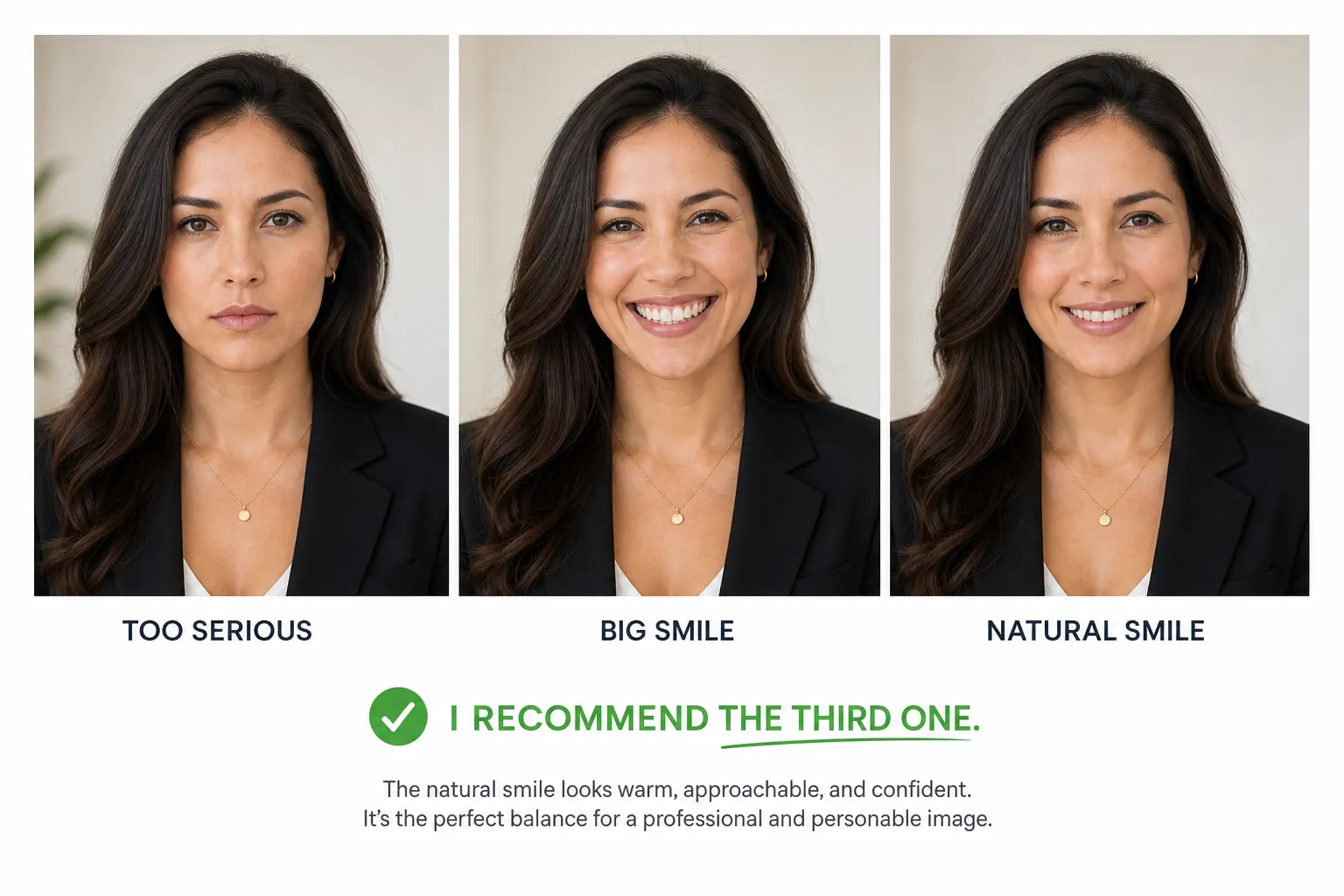
Turn These Ideas Into Your Own Professional Headshot
You've explored different professional headshot styles and learned what makes each one work. With MindPic, you can recreate a similar professional look from just one selfie. Try different styles, compare the results, and choose the headshot that best represents your career and personality.
1. Upload One Selfie
Start with a clear photo of yourself. One well-lit selfie is enough to generate professional-looking headshots in different styles.
2. Choose Your Preferred Style
Whether you prefer a corporate portrait, a modern LinkedIn photo, or a natural outdoor look, simply pick the style that best matches your profession.
3. Download and Use Anywhere
Generate your headshots in seconds and use them across LinkedIn, resumes, company websites, business cards, and other professional profiles.
Find the Professional Headshot Style That Fits You
Professional headshots don't have to follow a single formula. A corporate portrait, a modern LinkedIn photo, or a natural outdoor headshot can all make a strong first impression—the best choice depends on your career, industry, and the image you want to present.
The examples in this guide are a starting point for inspiration. Once you've found a style you like, you can recreate a similar look with MindPic using just one selfie and explore different professional styles before choosing the one that represents you best.